Your business, off your mind.
Invoicing, job scheduling, CRM and bookkeeping in one app for the self-employed. On your phone, and on your computer.
Free, properly free. Pro free for your first 30 days, no card needed.
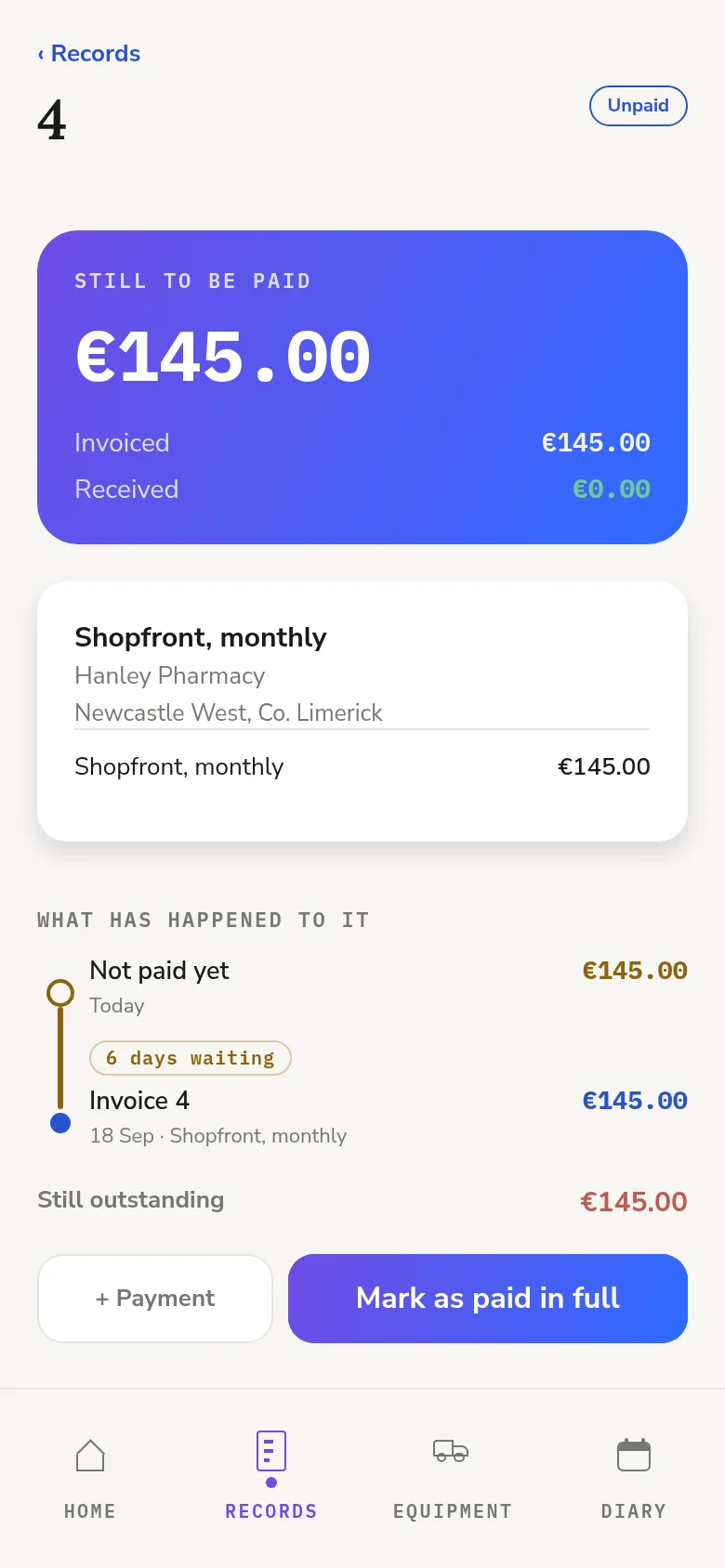
- Invoicing
- Job scheduling
- CRM
- Recurring jobs
- Route optimisation
- Expense tracking
- Receipt scanning
- Bookkeeping
- Payment reminders
- Card payments
All the jobs around the job, handled.
Everything a one-person business runs on, in one app.
Job scheduling
Every call in a diary, day by day.
Recurring jobs
Every job keeps its rhythm.
Invoicing
Mark it done. The invoice is made.
Expense tracking
Every cost and mileage, kept.
CRM
Customers, jobs and who owes you.
Bookkeeping
The books keep up with the work.
Cash flow
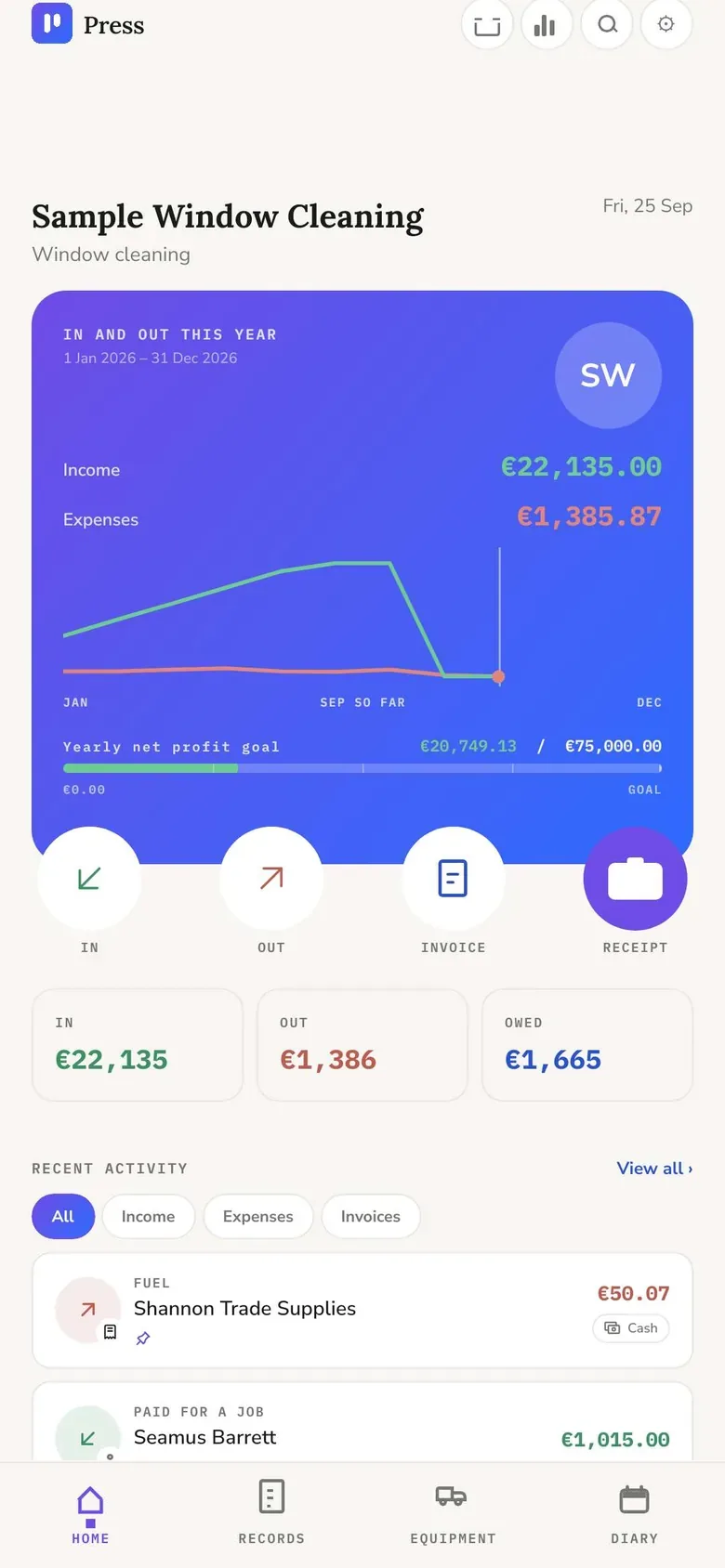
Money in and out, and where the year is heading.
Renewal reminders
Insurance, tests and services, flagged before they’re due.
Your data, yours
Back it up, export it, or bring your books in.
Free. Properly free.
- No limits
- No trial
- No card
- No catch
Free, properly free. Pro does the work for you.
Everything a one-person trade needs to run is free, for as long as you use Press. Pro adds the parts that save you hours, and your first 30 days of it are free.
Everything you need to run the business
- InvoicingPDF invoices by WhatsApp or email, made the moment a job is done.
- CRMCustomers, their jobs, notes and who pays the bill.
- Job schedulingEvery call in a diary, day by day, with each day drawn at a glance.
- Recurring jobsEvery 4 weeks, every month: the next visit is booked for you.
- Payment trackingPaid and owed at a glance, customer by customer.
- Expense trackingEvery cost, with its VAT or sales tax, and the van’s mileage.
- BookkeepingIncome, profit and cash flow, kept up as you work.
- Reminders and backupRenewals flagged before they’re due; your books exported any time.
And Press does the work for you
- Receipt scanningSnap it; Press reads the shop, date and total on the phone.
- Bank payment matchingA bank alert becomes a payment for you to confirm.
- Route optimisationEach day in driving order, along real roads.
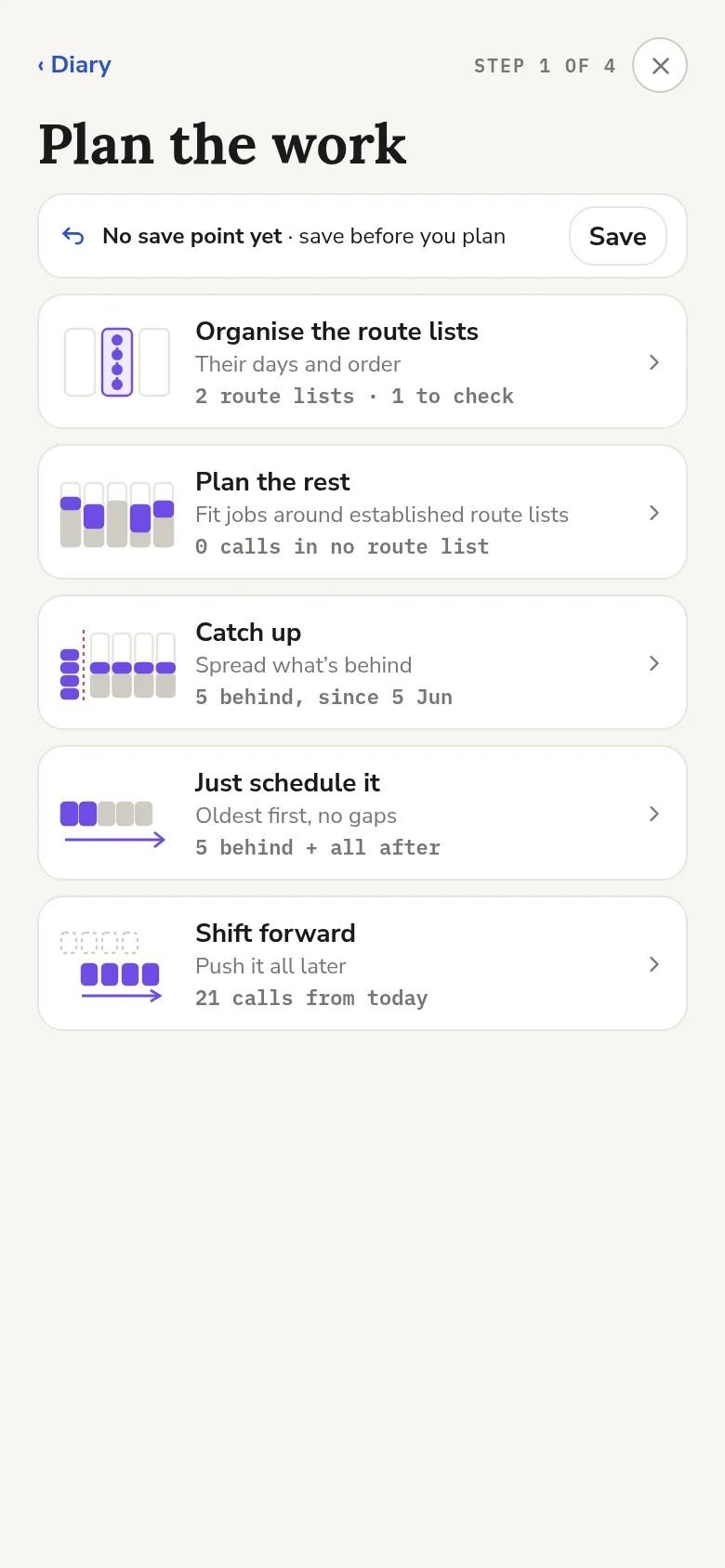
- Auto-schedulingSet your limits once; Press plans the weeks inside them.
- Bulk messagingNight before, on my way, job done, to everyone on the day.
- Card paymentsPay links, and a card taken in person.
- Lead captureEnquiries filled in from a customer’s message.
- Tax returnsReturns and estimates where Press supports your country. Ireland now, in beta.
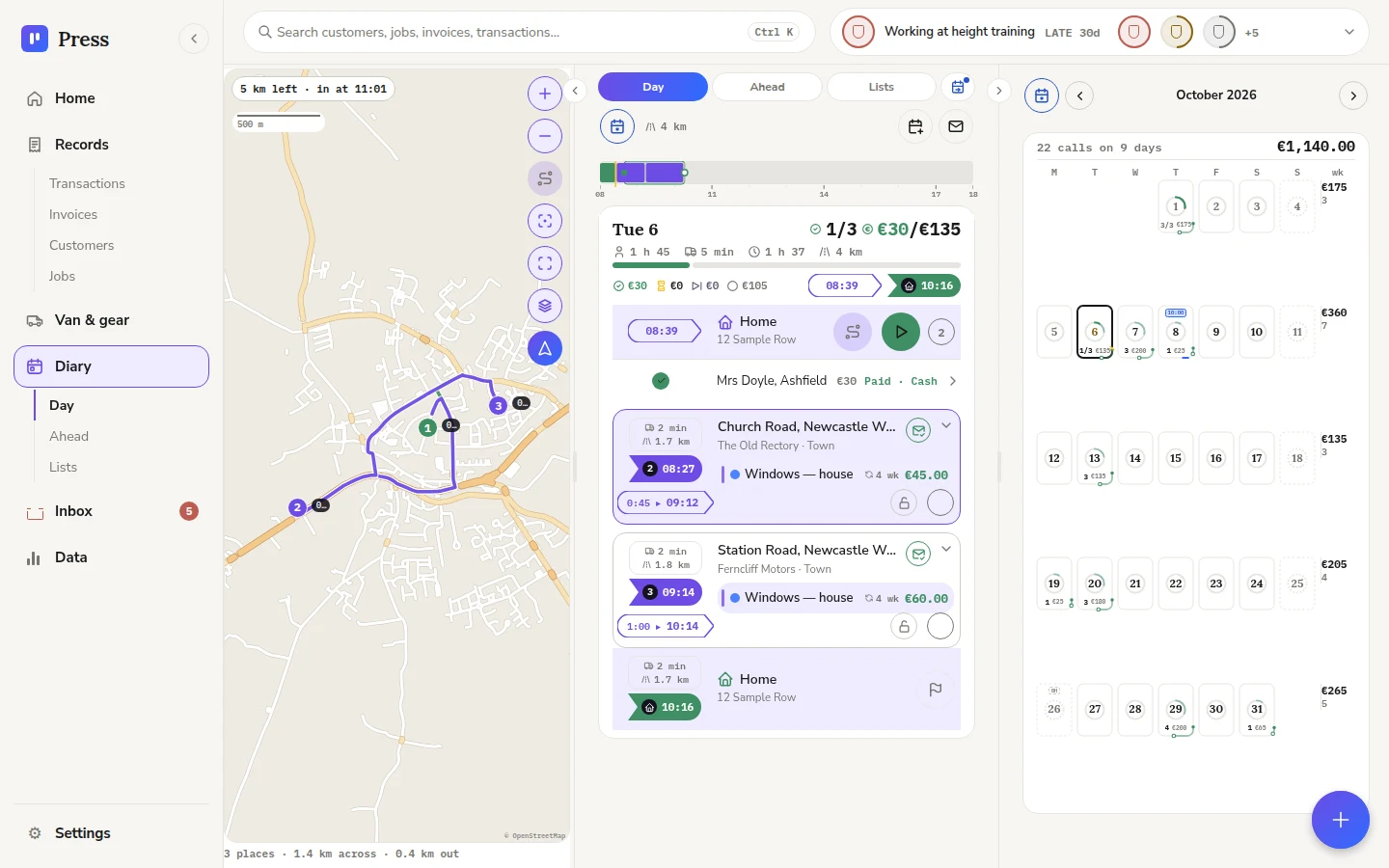
Your books on the big screen.
Sign in at usepress.app/app with the email you use on your phone, and see the whole picture at once.
- The Diary in three columns: the route on the map, the day’s calls, and the month beside them.
- Change it on one and it shows on the other.
- Your books stay on your phone; the computer opens them with your sign-in.
Simple pricing.
Start free. Try every Pro feature for 30 days first, with no card.
Free
0 no limits
Join the waiting list- Invoicing
- CRM
- Job scheduling
- Recurring jobs
- Payment tracking
- Expense tracking
- Bookkeeping
- Reminders and backup
Pro monthly
9.99 a month
Join the waiting list30 days free first. No card needed.
Everything in Free, plus
- Receipt scanning
- Bank payment matching
- Route optimisation
- Auto-scheduling
- Bulk messaging
- Card payments
- Lead capture
- Tax returns
- Desktop web app
Pro yearly
99.99 a year
Join the waiting list30 days free first. No card needed.
Everything in Free, plus
- Receipt scanning
- Bank payment matching
- Route optimisation
- Auto-scheduling
- Bulk messaging
- Card payments
- Lead capture
- Tax returns
- Desktop web app
Your price, locked in. The price you join at is yours for as long as you stay subscribed, whatever the price is later. If you stop and come back, it’s the price at that time.
Charged in your own currency.
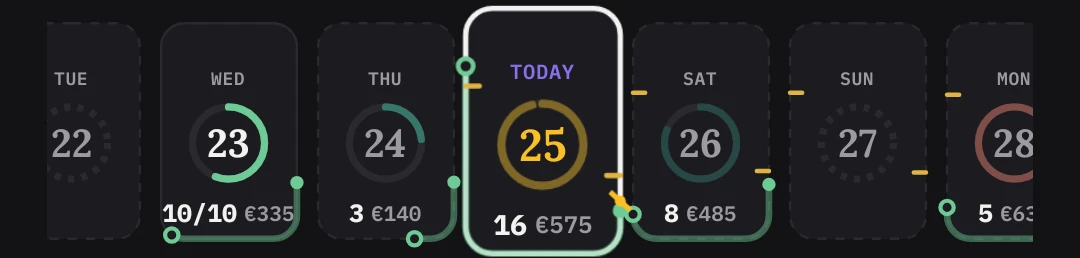
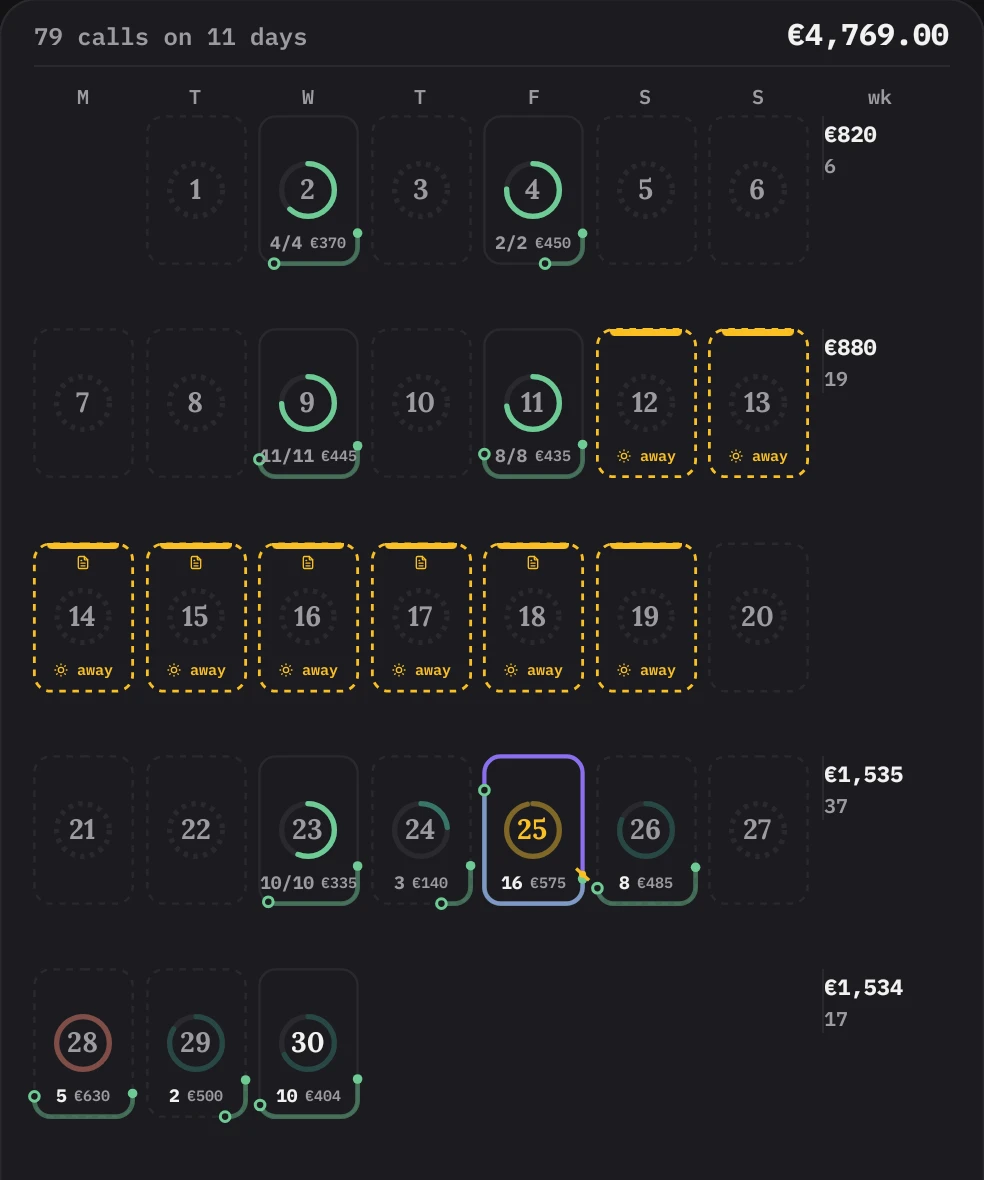
A whole day in one small square.
Every day in the diary is drawn the same way, so you can read a month the way you'd read a clock. No tapping in to find out what's on.
- The ring round the date fills as the day fills up.
- The line on the edge is your working day on a 24-hour clock, start to finish.
- Underneath: calls done out of calls, and what the day is worth.
- A red ring means the day is over full, before you get there.
- Today wears a purple edge, with a mark for right now.
- Days away are dashed amber, so nothing gets planned into them.

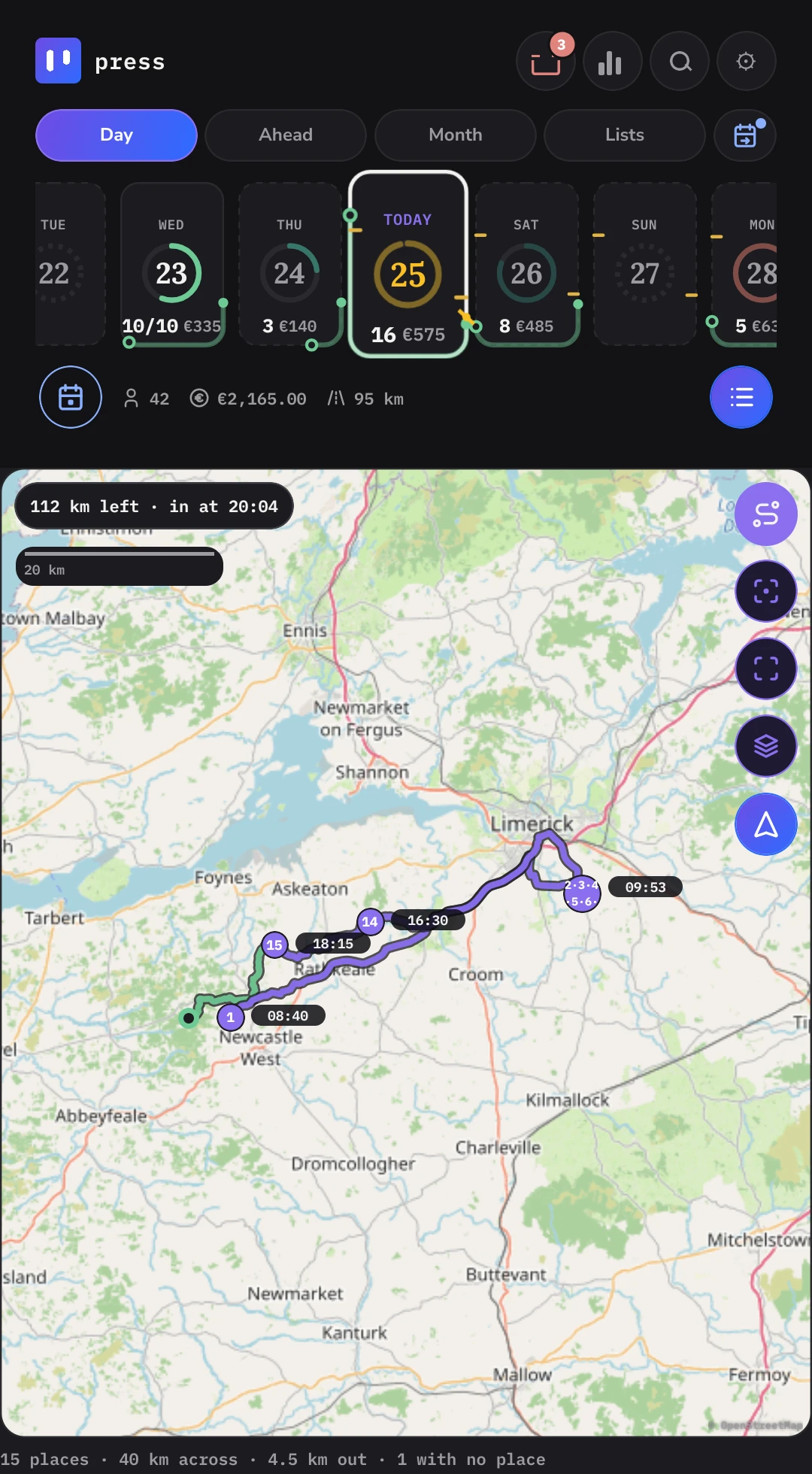
Door to door, down to the minute.
Every day starts and ends at home. Press works out the work, the driving and the distance, when you leave and when you're back, before you've left the house.
- A time bar runs across your working hours with every call on it, and the chance of rain, the wind and the temperature for each hour above and below.
- Sunrise, sunset and a line for right now, so you can see at a glance if the day will fit.
Real roads, from your door and back.
See the whole day on the map, drawn along the roads you'll drive, with the time you'll reach each stop and when you'll be in.
- Route optimisation: auto-route suggests the order of your calls with less driving, and you choose whether to use it.
- Pin a job to its place in the order and the rest fits around it.
- Hand the day to your maps app to drive it.

One job, every service it carries.
Recurring jobs, set up once: the main clean first, then hang the extras off it. Each extra has its own price and rhythm, and rides along on the visits it's due.
- Extras on their own rhythm: internal windows every 3rd visit, gutters every 6th, with the next date for each.
- Planned together: move the main clean, by hand or with Plan the work, and the extras due on that visit move with it.
- A year at a glance: what the job is worth a year once every extra is counted, and how many calls it takes.
- Decided at the door: mark each service done, skipped or left for next time, and the invoice follows.
The tenant gets the visit. The agent gets the bill.
A CRM built around the job: add everyone involved in it and tell Press what each of them gets.
- Access: the person who lets you in hears the night before, on my way and couldn't get access.
- Invoice: the bill goes to whoever pays it, a landlord, an agent or an office. It can be another customer in your books, so it lands on their account.
- Copied in: tick which messages anyone else is copied on. On email it's a real Cc, so the customer sees who else got it.
- Tenant, landlord, agent, caretaker, office, or your own word for them.
Keep customers in the loop without typing a word.
Press writes the messages for you from the job, and sends them the way each customer likes to hear from you.
See who owes you, and chase it in a tap.
Payment tracking on one card: sort your customers by what they owe and chase it from there.
- Most owed first: every customer with money outstanding, largest at the top.
- From the card: call, text, record a payment or raise a new invoice without opening anything else.
- Every open invoice: unpaid and part paid, with what is still owing on each.
Set the limits. Press plans inside them.
Auto-scheduling that keeps to your rules: tell Press how you like to work once, and every plan it makes keeps to it.
- Your week: the days you work, the days that can flex, and the days that are off.
- Your day: when the first call is, when you want to be home, and the latest you'll finish.
- How full is full: hours, money and calls a day. A day is full when the first of the three is reached.
- Start and finish at home: every day's drive is worked out from your door and back.
Know what the van really costs.
- Log trips, fuel and odometer readings as you go, in kilometres or miles.
- See the year's distance, trips and what every kilometre costs you.
- Every cost and trip in one timeline, month by month.
- A reminder before a service, test or insurance runs out, even with the app closed.
The same goes for ladders, pure water systems and anything else with running costs.
Snap it now. Sort it later.
No typing at the till and no shoebox of paper. Take a photo of the receipt the way you already would, and get on with your day.
Switch on receipt photos and pick the folders Press looks in. Android.
Built for tax in Ireland.
Press knows how it works here: income tax, USC and PRSI, VAT returns on ROS, and Pay & File on 31 October. Income tax and VAT each have their own switch, and both stay off until you turn them on.
Income tax
Form 11 · Pay & File- An income tax, USC and PRSI estimate that updates as the year goes.
- What to put aside, so the October bill isn't a shock.
- Preliminary tax, with a reminder before Pay & File.
- Wear and tear on the van and gear, home office costs and pension relief.
- A year-end summary laid out the way Form 11 asks for it, as a PDF.
VAT
VAT3 · RTD · ROS- Your figures for each VAT period, T1, T2 and T3, ready to enter on ROS.
- A check for anything left out before you file, then lock the period once it's in.
- A reminder before each return is due.
- A countdown as you get near the VAT registration threshold.
- Your annual Return of Trading Details, added up from the year.
The figures Press gives you are estimates and may not be right. You're responsible for checking them, and for everything you file and pay. Press doesn't file or pay anything for you. Figures shown here are samples.
or type your own
Made for every kind of service.
If you work for yourself and your customers book you again and again, Press fits. Pick what you do when you set up, and Press starts you with the services, checks and paperwork that work usually needs.
- Every job keeps its own rhythm. Weekly, every six weeks or once a year, the next visit is booked for you.
- Your services, your prices. Name them the way your customers do, and time them the way the work really goes.
- Out on the road or not. Travel to your customers and Press works out every day's driving from your door.
- Something else? Type what you do and start from there. Nothing assumes you clean windows.
What would make Press right for your work?
A check you always do, a paper you always need, a way your customers like to book. Tell us, and help shape what Press does next.
No email needed. To hear when it's built, join the waiting list as well.
Where Press is now.
Built
Job scheduling, invoicing and bookkeeping in one app.
Tested on a real round
Used on the job every week and sharpened as it goes.
More testers
A small group tries it on their own work, a few at a time.
Open to everyone
The waiting list hears first. Android, then iPhone, and the desktop web app with Pro.
Help test Press.
Press is being tested on real work before it opens. Apply to try it early and tell us what works and what doesn't. Tell us about your work so we can pick a mix of trades and places.